Getting the Most Out of Your Dormie Network Members Area
Dormie Network enhances the offsite membership experience with a new members-only portal.
There's nothing quite like being on property at a Dormie Network club—but your experience doesn’t have to stop when you depart.
Just like your favorite club concierge, your membership is always within reach whether you're at home, in the office, or on the course. We’re excited to bring the Network directly to your fingertips with the brand-new Members Area, now accessible via desktop or mobile app.
Launched in February 2026, this upgraded digital ecosystem provides a more seamless, secure, and intuitive offsite membership experience. The new Members Area delivers streamlined features and improved functionality while simultaneously strengthening our back-office support systems.
Continue reading for five ways the new Members Area provides an enhanced experience.
1. Stay Connected with Members Central
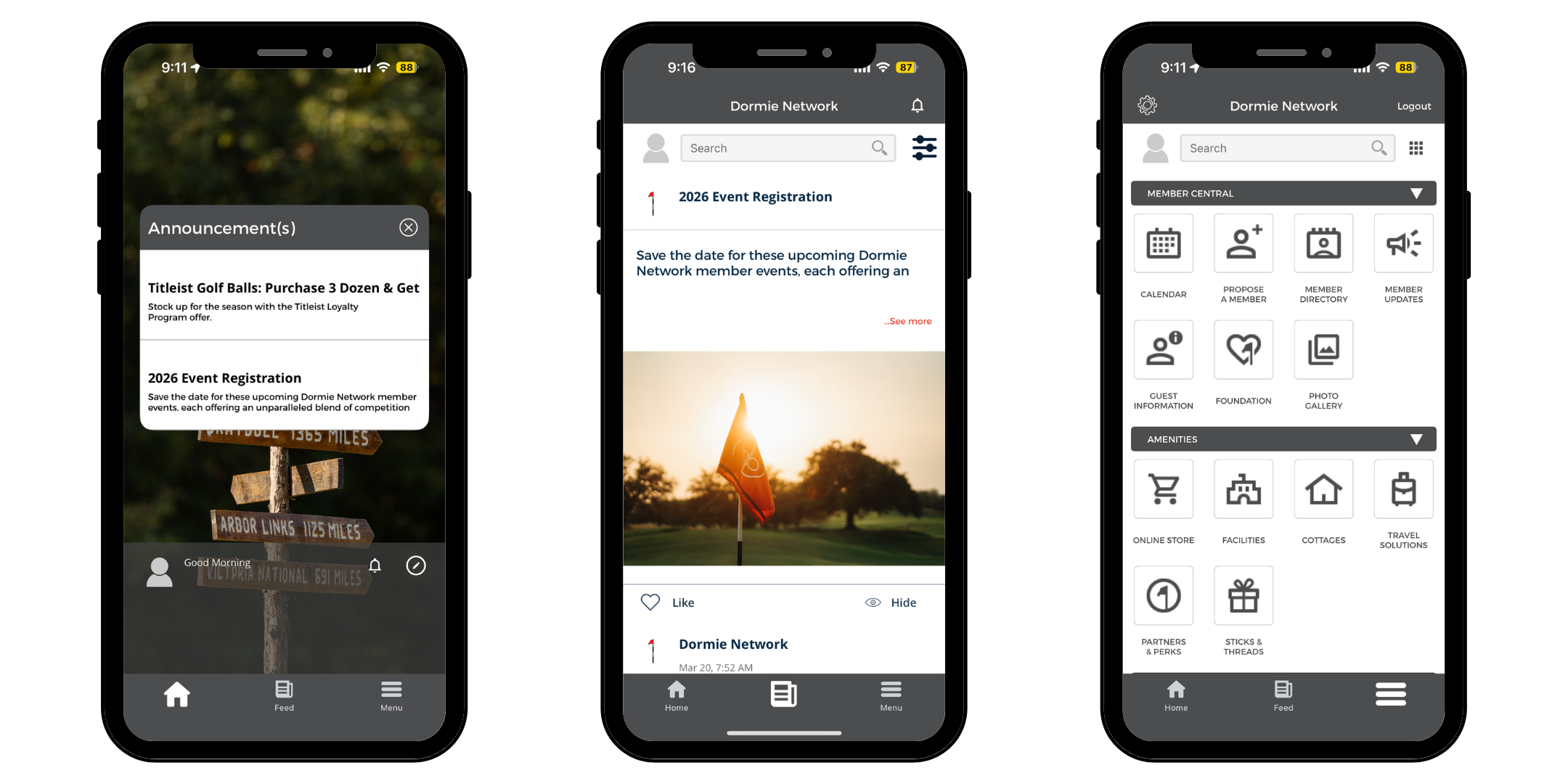
The members central section helps you stay informed and engaged with everything happening across Dormie Network.
Calendar: View Dormie Network's calendar and your future visits. You can also add events to your calendar.
Announcements: Stay up to date on the latest membership news, like event lotteries and calendar releases.
Propose a Member: If you know a family member, friend, or colleague who'd be a great fit for Dormie Network membership, connect them with Dormie Network here.
Photo Gallery: View event photos. Feel free to download, share, and use photos on social media.
Member Directory: View and connect with fellow members using the Member Directory. Participation is optional. You are opted out by default. To appear in the directory, navigate to My Settings and ensure "Hide Profile" is unchecked. You may update this preference at any time.
Guest Information: Direct link to the guest information page on DormieNetwork.com to share with your guests ahead of your next trip.
Dormie Network Foundation: Information about the philanthropic arm of Dormie Network and how to get involved.
Message Boards: A members-only space to connect, share, and stay in the loop with fellow members across the Network. Share everything from trip recaps and favorite new merchandise to photos from a recent visit or a must-try menu item.
2. Explore Benefits & Resources with Amenities
The amenities section provides quick access to information that helps you plan and maximize your time across the Network.
Online Store: Direct link to the member-only online store
Facilities: Direct link to the Dormie Network facilities specifications deck
Cottages: Direct link to the cottages page on DormieNetwork.com
Travel Solutions: Information about transportation options and for getting to each Dormie Network golf club and how to ship your clubs with BagCaddie.
Sticks & Threads: Direct link to the members-only online store with seasonal TEE BOX packages.
Partners / Perks: Partners of Dormie Network, and membership perks.
3. View Important Membership Information with Member Documents
Your secure archive for essential club literature. The member documents section provides access to:
Rules and Regulations
Fee Schedule
Membership Plan
4. Plan and Book a Trip
The book a trip section simplifies travel planning by putting essential trip resources in one place.
My Upcoming Trips
Cottage Availability
Staff Contact
5. Manage Your Settings and Payments
The account section is where you can manage your profile, preferences, and payments securely.
Recent Charges & Statements
Make Payments
Add Payment Methods
My Profile: View your profile and add a profile photo if you'd like. Ensure your personal information is accurate and up to date.
Member Interests: Let us know what your interests are here. This will help us notify you when things you are interested in become available.
Change Password: You can now change your own password to your Members Area account here.
My Settings
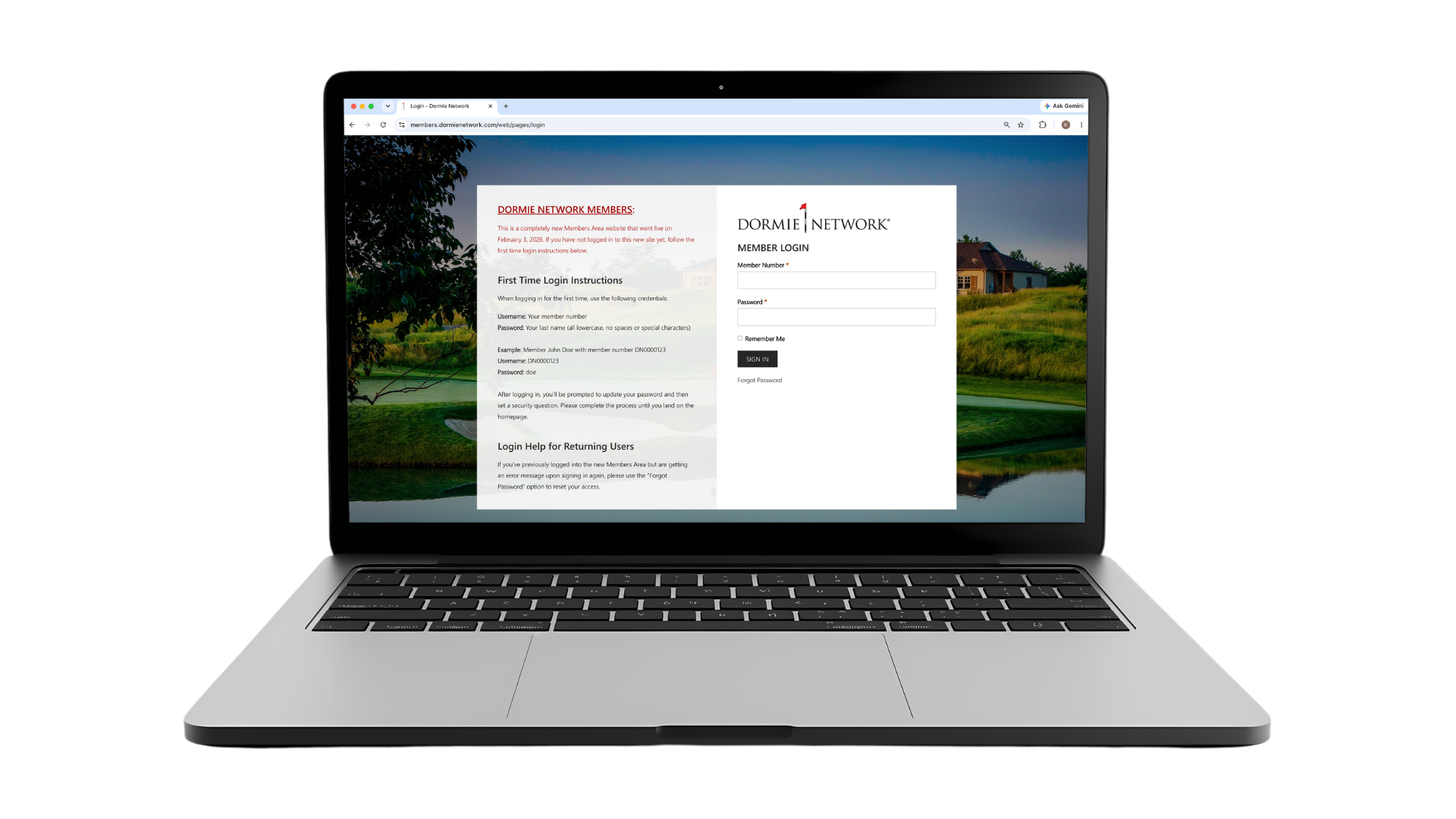
Ready to explore the new Members Area? Login here. If it is your first time logging into the new Members Area, follow the first-time login instructions on the login page.
FAQ
-
Members Area is an online portal for those with a Dormie Network Membership.
-
Is this your first time logging in to the new Members Area? Your login credentials from the old platform will not work on the new Members Area. All members must create a new account following the first-time login instructions on the login page.
If this isn’t your first time logging in to the new Members Area, please try the “Forgot Password” option to reset your access. If you still experience issues, contact your home club administrator for assistance.
-
Yes! However, members must complete their initial account registration through the desktop website before logging into the mobile app.